
The Hidden Cost of Your Shopify App Stack (and How to Audit It)
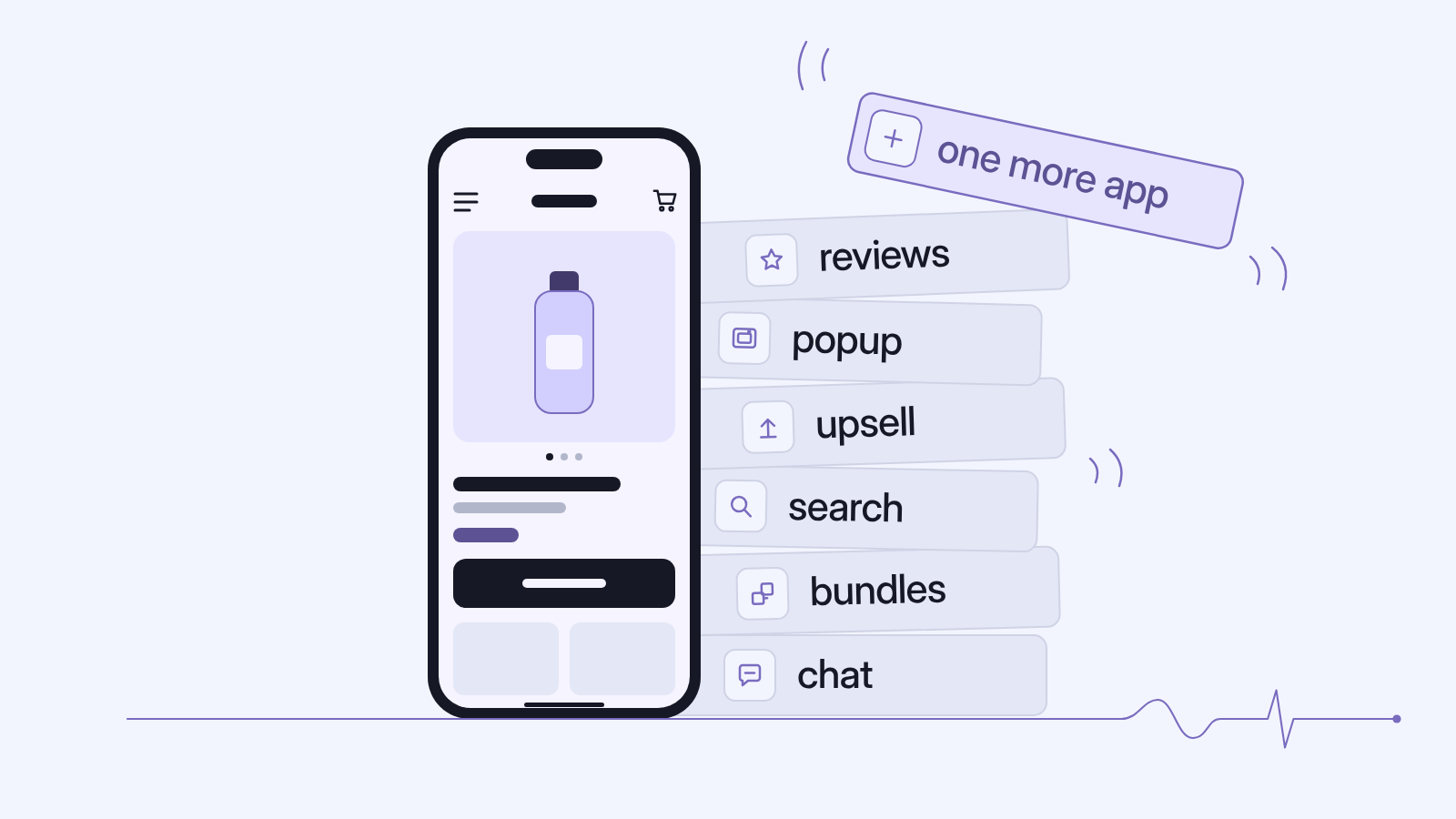
Every app on your Shopify store was installed for a good reason. A reviews widget because shoppers wanted social proof. A popup because the email list stopped growing. An upsell tool because AOV was flat. A search app because the default search couldn't find "serum" when someone typed "seram".
Each one fixed a problem. Together, they may now be the problem.
If your store looks premium but converts poorly, checkout drags on mobile, new launches take a day to show up in search, or your Meta, Google and Shopify numbers never agree, the cause is rarely one big mistake. It's usually dozens of small additions nobody has reviewed since they went in.
This is a practical Shopify app audit for founders and ecommerce heads at growing Indian D2C brands: why app sprawl happens, what it costs, a keep / replace / remove framework, and when the answer is a plan change or a rebuild rather than another patch.
Why app sprawl happens as D2C brands grow
App sprawl rarely comes from bad decisions. It builds up from a series of reasonable ones.
Every app solves one problem, for one person, at one moment
Picture a typical growth path. In the early days, the founder installs a reviews app. Later, the performance marketer adds a popup and a quiz. Then a new ecommerce head brings in upsells, a bundle builder, smarter search, loyalty and a COD-verification tool to cut RTO. Each install is sensible. Nobody owns the whole stack, so nothing ever comes out.
Across beauty, home and sleep, food and wellness, and fashion, the layers look much the same: social proof (reviews, UGC, "X people viewing"), conversion nudges (popups, spin-the-wheel, timers), AOV tools (upsells, bundles, free gifts), discovery (search, filters, quizzes), retention (loyalty, subscriptions, WhatsApp capture), operations (COD verification, tracking, returns) and measurement (pixels, tag managers, attribution tools).
Agencies and freelancers add layers too
Every developer or agency that touches the store brings their preferred tools. When they leave, the apps stay, and sometimes so does the code. Shopify's own Help Center points out that uninstalling an app doesn't automatically remove its code from your theme. That's how "ghost code" builds up: scripts from apps you stopped paying for years ago, still loading on every page.
How apps affect page speed, checkout and attribution
Admin-only apps (inventory, invoicing) usually don't affect shoppers. The ones to watch load on your storefront, touch your checkout or fire tracking events.
1. Page speed and Core Web Vitals
Shopify names three main factors behind store performance: your theme, the apps you've installed, and third-party code added by hand, including tag managers. Its advice is to make sure apps and third-party code earn enough to offset their performance cost, and to remove apps that aren't essential for sales.
Shopify's Web Performance reports use Google's Core Web Vitals, measured from real visitors:
- Largest Contentful Paint (LCP): loading. "Good" is 2.5 seconds or less.
- Interaction to Next Paint (INP): responsiveness. "Good" is 200 milliseconds or less.
- Cumulative Layout Shift (CLS): visual stability. "Good" is 0.1 or less.
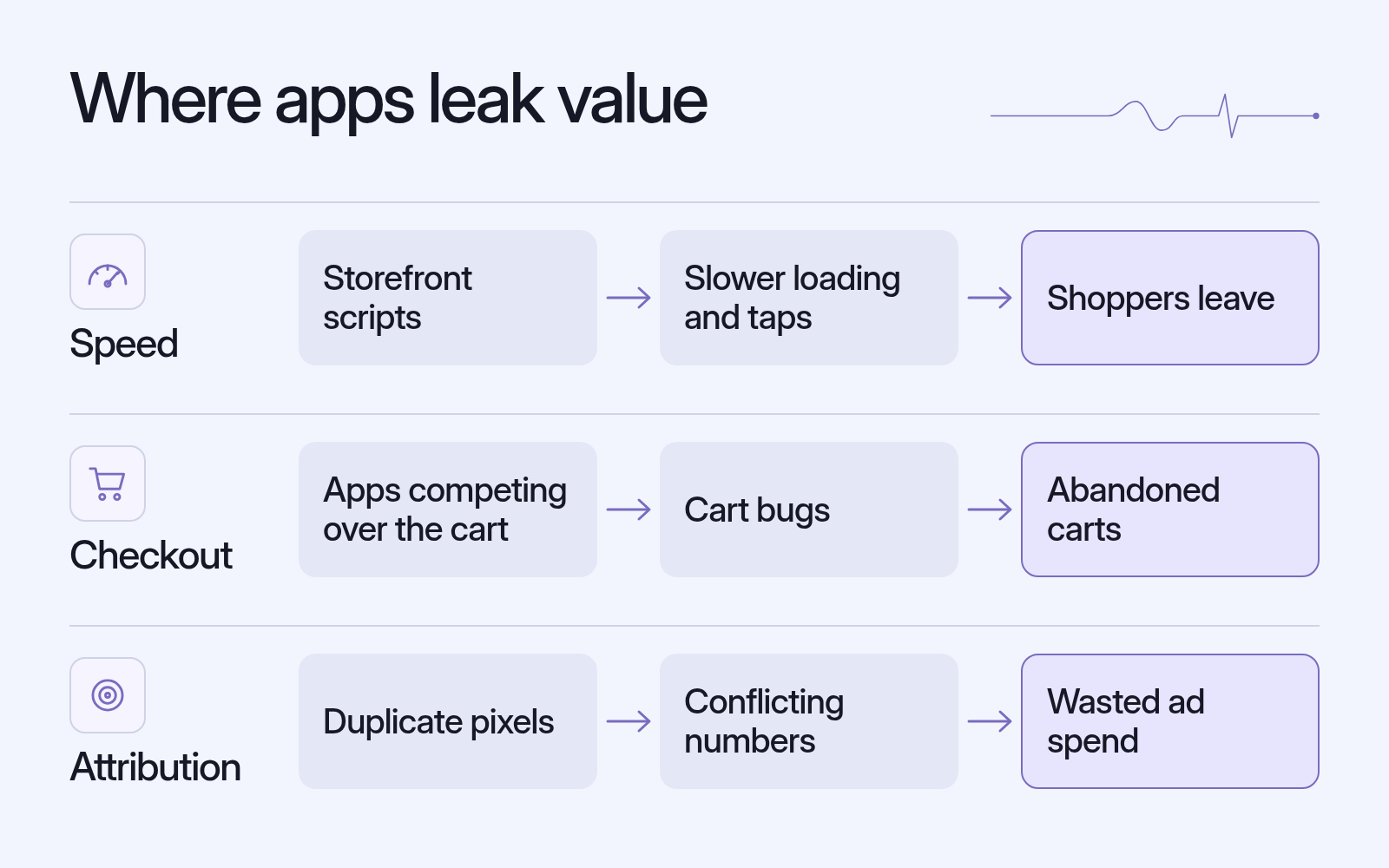
Storefront apps can hurt all three. Sliders and UGC galleries compete with your main product image (LCP). Heavy JavaScript from popups, timers and upsell widgets makes "Add to cart" feel sluggish (INP). Late-loading badges and review stars push content around (CLS).
In India this matters more. Check your own analytics, but for many D2C brands mobile is the main event, often on budget Android phones and patchy networks. A store that feels fine on office Wi-Fi can feel very different on 4G in a Tier-2 city. Lab tools like Lighthouse can't measure INP (no real user is tapping), so rely on real-user data from Shopify's Web Performance reports, or the field data in PageSpeed Insights (shown once your store has enough traffic).
2. Checkout and cart behaviour
This is where sprawl gets expensive. Cart drawers, upsell injectors, free-gift logic and COD tools often all edit the cart at once. When apps fight over the cart, you get familiar bugs: a free gift added twice, a discount that vanishes at checkout, a cart count that doesn't match.
Shopify's checkout has also changed under many older setups:
checkout.liquidis no longer supported for the Information, Shipping and Payment steps.- The additional scripts box in Checkout settings became view-only on 28 August 2025.
- Non-Plus stores had until 26 August 2026 to upgrade their Thank you and Order status pages. Legacy scripts and pixels on the old pages no longer run. Plus stores had an earlier deadline, in 2025.
Customisation now runs through Shopify's checkout extensions (Checkout Extensibility). On every plan from Basic up, eligible apps can customise the Thank you and Order status pages. Apps that customise the Information, Shipping and Payment steps need Shopify Plus. If someone promises "custom checkout code" on a non-Plus plan, ask exactly how.
3. Analytics and attribution
Messy attribution is often an app problem in disguise. Many stores end up with the same pixel firing from several places: a channel app, a hard-coded theme snippet, a tag manager and an "attribution" app. The result is duplicate purchases on one platform and missing conversions on another.
Shopify's sanctioned route is Pixels and Customer Events (Settings → Customer events). App pixels run in a strict sandbox designed to limit their effect on performance, security and privacy. Custom pixels cover cases where no app pixel exists. Shopify also warns that adding Google Analytics through Google Tag Manager on top of its built-in integration can cause duplicate tracking. If your Thank you page tracking relied on additional scripts or script tags, it has either moved to pixels or quietly stopped working. Check which.
A simple Shopify app audit framework: keep, replace, or remove
You don't need a three-month project. You need one spreadsheet, one honest afternoon and three questions per app.
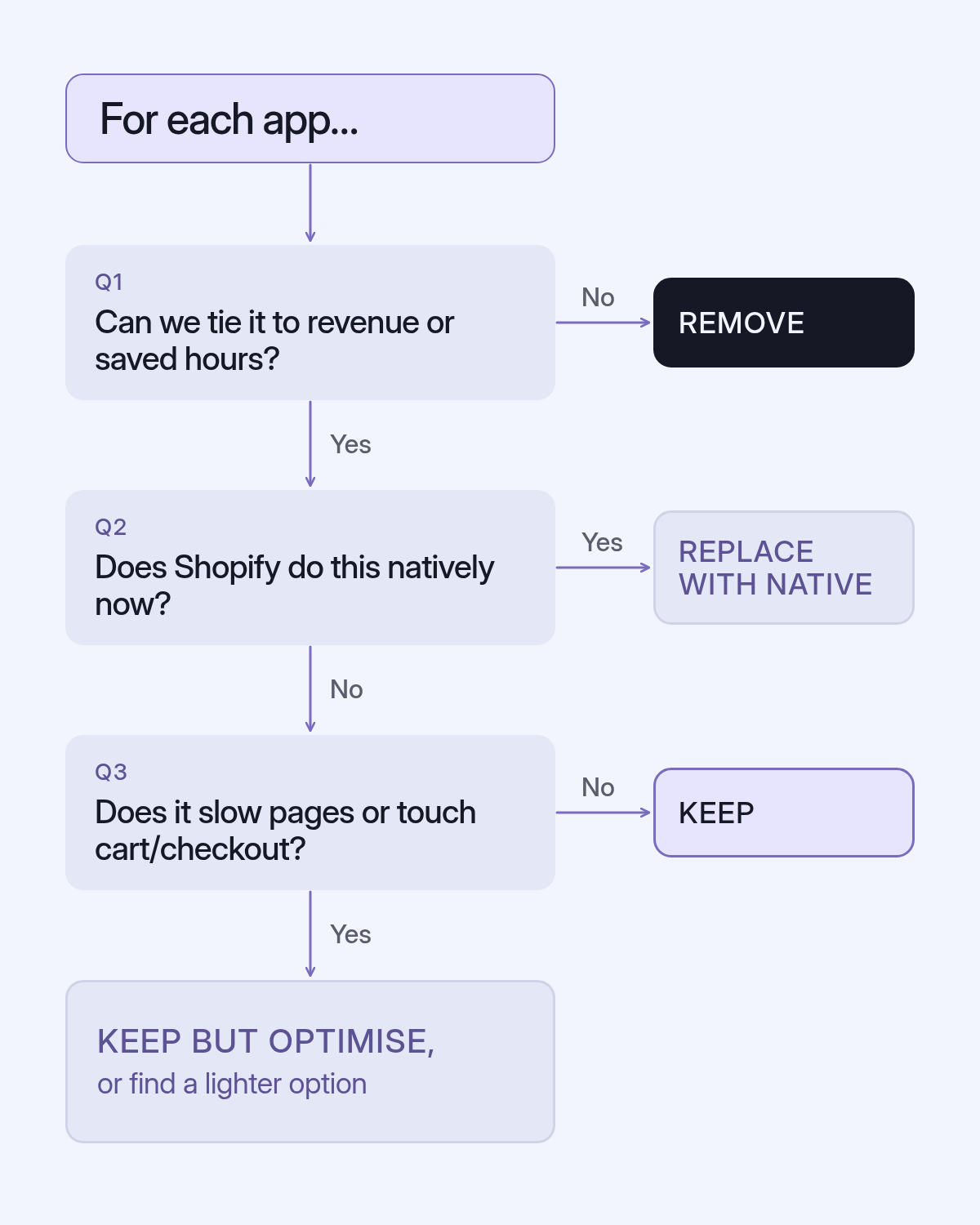
The three questions
- What is this app earning us? Not what it does, but what it's worth: revenue, AOV, conversion, retention or real hours saved. If nobody can answer, that's the answer.
- Does Shopify do this natively now? Shopify's own apps (free, or free to install) cover many jobs that once needed a paid app: Search & Discovery (filters, synonym groups, product boosts, related and complementary recommendations, search analytics), Bundles (fixed bundles and multipacks, on all plans), Forms (inline and popup signup forms with discount incentives) and Inbox (customer chat). Every plan also includes customer segments, email campaigns, marketing automations and abandoned checkout recovery.
- What does it cost in speed and checkout stability? Does it load on every page, edit the cart or fire its own tracking? Switch off its storefront embed and compare.
Step-by-step
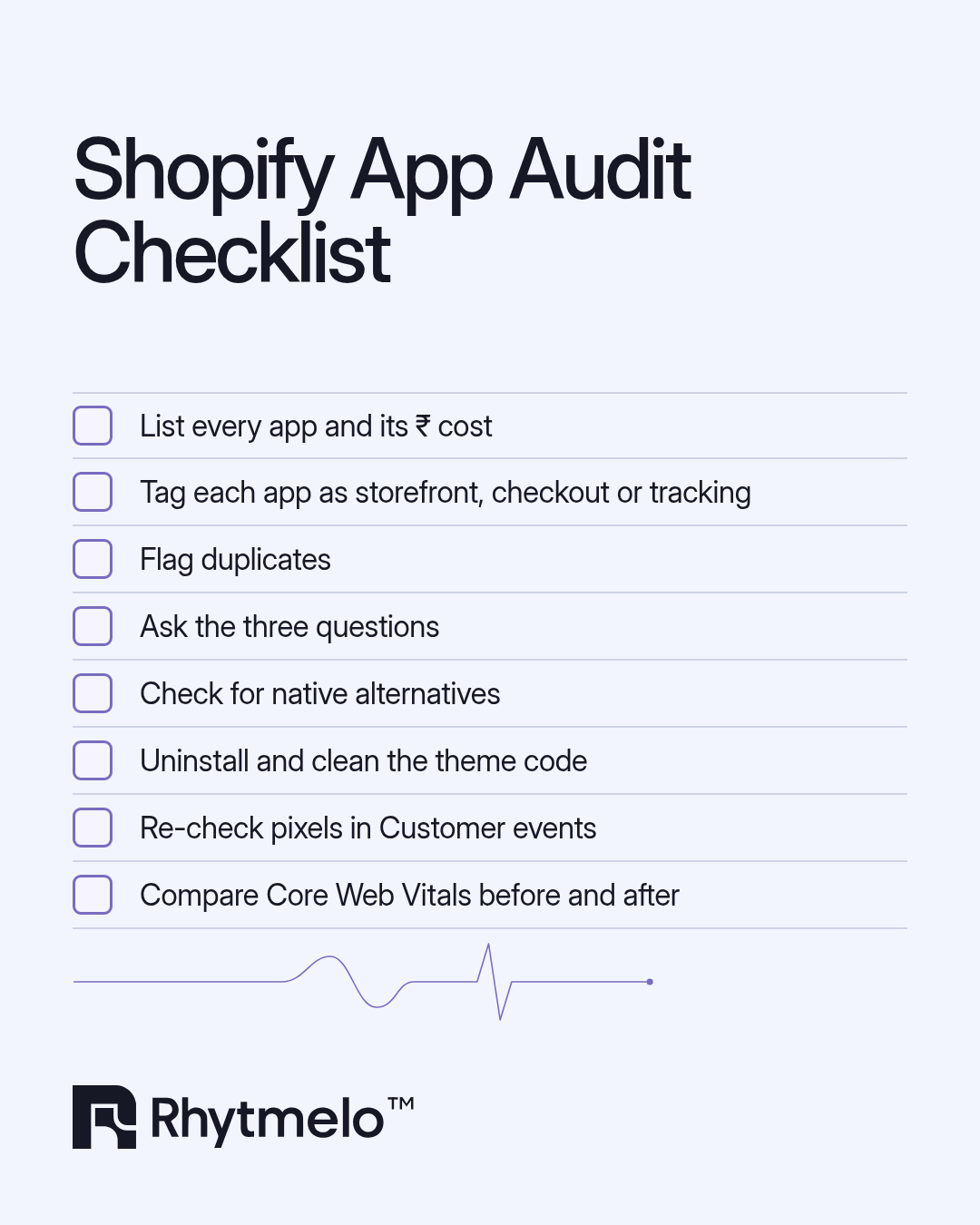
- Inventory: every app, its monthly ₹ cost (convert USD-billed apps), owner and last-configured date.
- Classify: admin-only, storefront, cart/checkout or tracking.
- Map overlaps: two popup tools? Two apps editing the cart?
- Ask the three questions and assign Keep, Replace with native or Remove.
- Remove properly: uninstall, then clean leftover theme snippets and app embeds.
- Measure before and after: Core Web Vitals, conversion rate and checkout completion over a fixed window.
The audit table
| Verdict | When it applies | Key questions to ask | Typical examples (by category) |
|---|---|---|---|
| Keep | Earns clear, measurable value; no native equivalent covers your needs; light on storefront | What revenue or hours does it drive? Is it loading only on pages where it's used? Is it on a current, supported integration (app embeds, pixels, checkout extensions)? | Reviews (if it drives conversion), subscriptions, shipping and returns tools, COD/RTO tools that measurably cut returns |
| Replace with native | Shopify now does the job well enough for your catalogue | Does Shopify Search & Discovery, Bundles, Forms or Inbox cover most of what we actually use? What will we lose, and does it matter? How often does the current app re-sync our catalogue? | Basic filters and synonyms, simple fixed bundles and multipacks, signup popups, basic chat, abandoned checkout recovery |
| Remove | No clear owner, no measurable value, duplicates another tool, or broke after Shopify's checkout changes | When did anyone last look at its data? What happens if we switch it off for two weeks? Has its code been fully removed from the theme? | Duplicate popups, "X people viewing" widgets, stale countdown timers, old tracking snippets, apps from a previous agency |
One note on search: if new launches take a day to appear in your on-site search, ask your search vendor how often their index re-syncs with your Shopify catalogue. On a launch day, that lag is lost revenue.
When moving off Shopify Basic actually makes sense
Audits often raise a plan question. Some brands pay for apps to work around plan limits. Others stay on Basic long after it stops making sense. Shopify's current plans are Basic, Grow, Advanced and Plus (Grow replaced the old "Shopify" plan).
The Basic plan limitations that matter for a growing team
- No additional staff accounts. Basic covers the store owner only, though you can still invite collaborators. Grow allows up to 5 staff accounts and Advanced up to 15. A team sharing one login is a security and accountability problem.
- Limited data access for custom apps. Grow and above get full access.
The transaction-fee maths for Indian brands
This is the one Indian founders most often miss. Shopify Payments isn't available in India (it's not on Shopify's supported-countries list), so Indian stores take UPI, cards and wallets through third-party gateways. On those orders Shopify charges a third-party transaction fee, on top of your gateway's own charges:
| Plan | Price (billed yearly) | Additional staff accounts | Third-party transaction fee | Checkout customisation |
|---|---|---|---|---|
| Basic | ₹1,499/mo | — (owner only) | 2% | Limited |
| Grow | ₹5,599/mo | 5 | 1% | Limited |
| Advanced | ₹22,680/mo | 15 | 0.6% | Limited |
| Plus | from ₹1,75,000/mo* | Unlimited | 0.2% | Full |
Prices from Shopify's India pricing page as of October 2026, before taxes. Monthly billing costs more. Always check current pricing.
* Shopify lists Plus as "starts at ₹1,75,000/mo" with no yearly price; Plus is quoted on a term.
Manual payment methods like COD aren't charged this fee, so what counts is your prepaid GMV through gateways.
Worked example (our estimate, illustrative). Using Shopify India list prices (billed yearly, before GST, October 2026) and ignoring your gateway's own charges, the break-even is simple arithmetic:
- Basic → Grow: the plan costs ₹4,100/month more and saves 1% on prepaid gateway orders. ₹4,100 ÷ 1% = ₹4,10,000. If more than that goes through third-party gateways each month (prepaid orders, not COD), Grow pays for itself.
- Grow → Advanced: ₹17,081/month more for a 0.4% saving. ₹17,081 ÷ 0.4% ≈ ₹42,70,000 a month in prepaid gateway GMV, before you count Advanced's extras (up to 15 staff accounts and region-level store customisation).
At ₹15–200 Cr in annual revenue, Basic is almost never the right plan. On fees alone, Advanced beats Grow once prepaid gateway GMV passes about ₹42,70,000 a month (roughly ₹5.1 Cr a year), which many brands in this range clear, depending on their prepaid share. So for most, the real question is Advanced versus Plus. Plus is mostly about capability rather than fees: fully customisable checkout, unlimited staff, higher API limits and expansion stores.
When your store needs a rebuild, not another patch
Sometimes the audit shows the apps aren't the disease, just the symptoms. You keep adding apps because the theme underneath can't do what the business needs.
A patch is still enough when you're on a modern Online Store 2.0 theme, most issues trace back to a few removable apps, Core Web Vitals improve once ghost code is gone, and your team can make everyday changes without a developer.
You likely need a rebuild when:
- The theme is old or heavily forked, and every update risks breaking something
- Core features live in apps that belong in the theme: PDP layouts, bundle UI, cart logic
- Apps conflict in the cart, and each fix breaks something else
- Performance work is blocked. You've removed what you can and the theme's structure is still the bottleneck
- It looks premium but doesn't convert. Heavy media, unclear PDPs, a mobile experience designed on desktop
- Attribution still can't be trusted after a pixel clean-up
A good rebuild keeps what earns, moves logic into lean theme code and native features, rebuilds tracking on Customer Events, and designs mobile-first for how Indian shoppers buy: COD and UPI up front, fast PDPs, and clear delivery and returns information.
FAQ
How many Shopify apps is too many?
There's no fixed number. What matters is impact, not count. Ten admin-only apps can be harmless, while three heavy storefront apps fighting over the cart can hurt conversion. Any app that loads on the storefront, touches checkout or fires tracking must earn its place.
Do Shopify apps slow down your site?
Storefront apps can. Shopify lists installed apps among the main factors affecting store performance and recommends removing apps that aren't essential for sales. Admin-only apps generally don't affect what shoppers experience.
Why is my Shopify site so slow?
Common causes are a heavy or outdated theme, too many storefront apps and scripts, leftover code from uninstalled apps, unoptimised images and bloated tag managers. Start with Shopify's Web Performance reports, then audit apps and third-party code.
What are the limitations of the Shopify Basic plan?
Basic includes no additional staff accounts, limits custom-app data access and has the highest third-party transaction fee (2%). That fee matters for Indian stores because Shopify Payments isn't available in India.
Does uninstalling a Shopify app remove its code?
Not always. Shopify notes that uninstalling an app doesn't automatically remove its code from your theme. You may need to clean up leftover snippets or ask the app developer for removal steps.